User guide Your activities
Your activities
Everything you've done and what's coming up: each run in detail, your records, your badges and the mileage on your shoes.
Where iPhone › Activities
The list
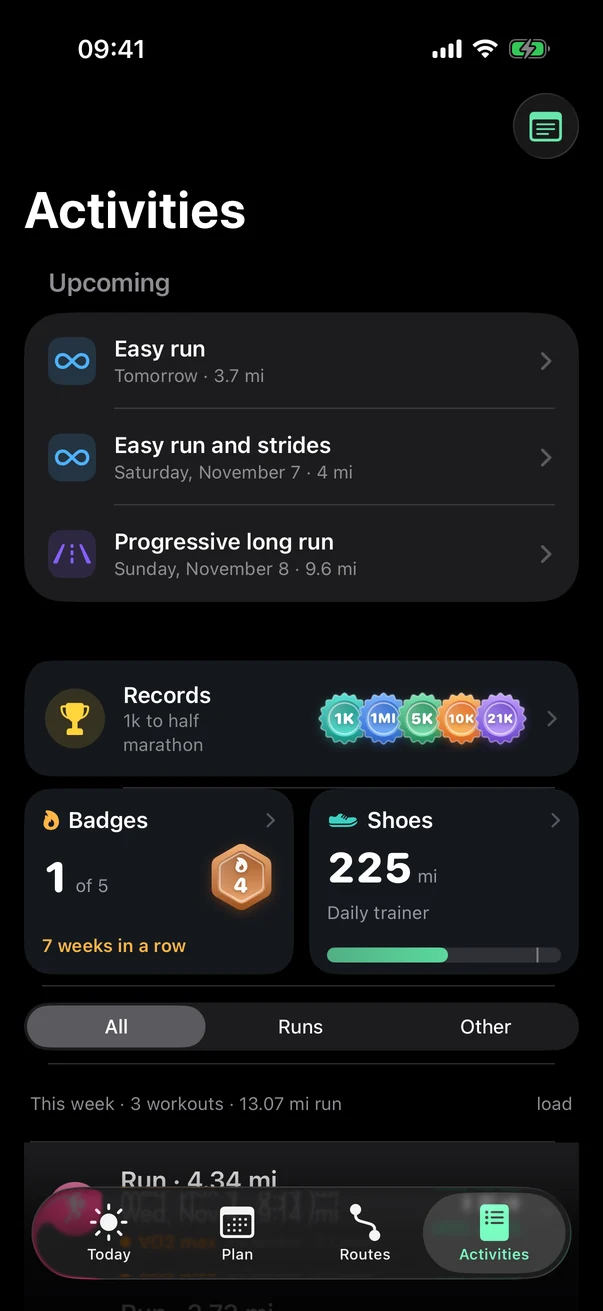
- Notes
Your workout notes and your trials, compared before and after.
- Upcoming
Your next workouts.
- Records
From 1K to the marathon, found automatically in your runs.
- Badges and shoes
- Filter
All, Runs or Other.
A run in detail
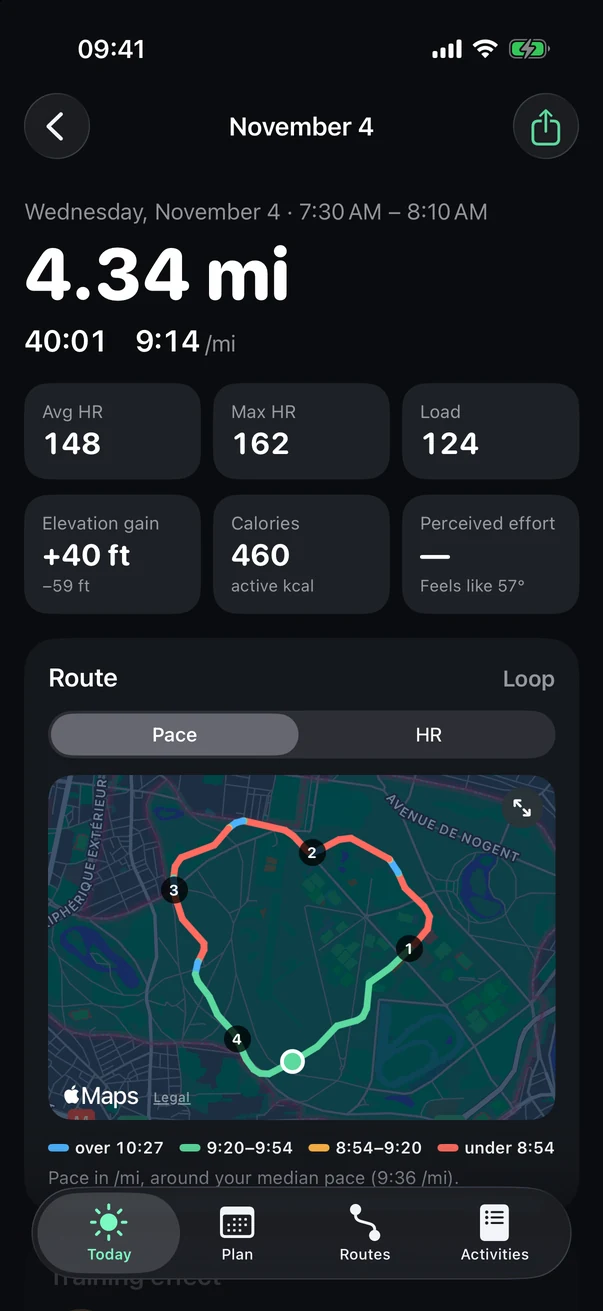
Further down: training effect, the workout's steps or your laps, how it felt and your note, your shoes, charts, every mile, your best efforts, heart rate zones, your stride and the terrain.
- Share
An image of your run, or its GPX or FIT file.
- The essentials
Distance, time, pace, then heart rate, load, elevation, calories and perceived effort.
- The route
Colored by your pace or your heart rate.
Your shoes
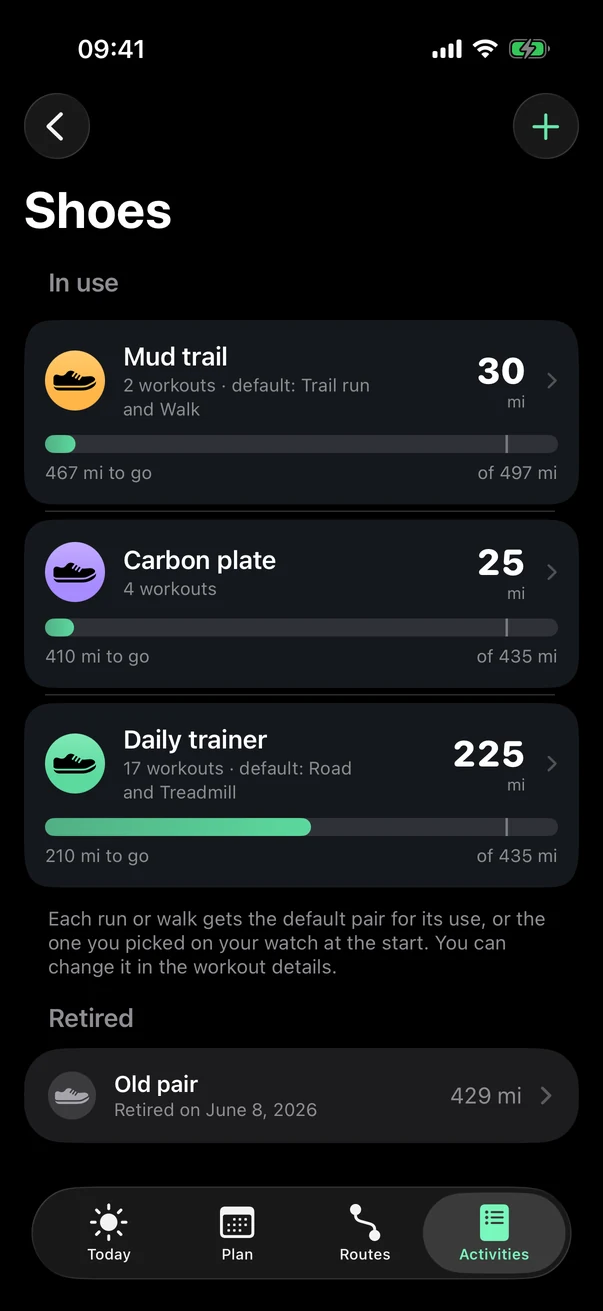
Tap Shoes in Activities.
- Add a pair
- A pair
Its mileage, the limit you set, and what it's the default pair for.
- Retired
Pairs you don't wear anymore, with their totals.
Tip You can also pick the pair on your watch before you start, or change it in the run's details.
Your records
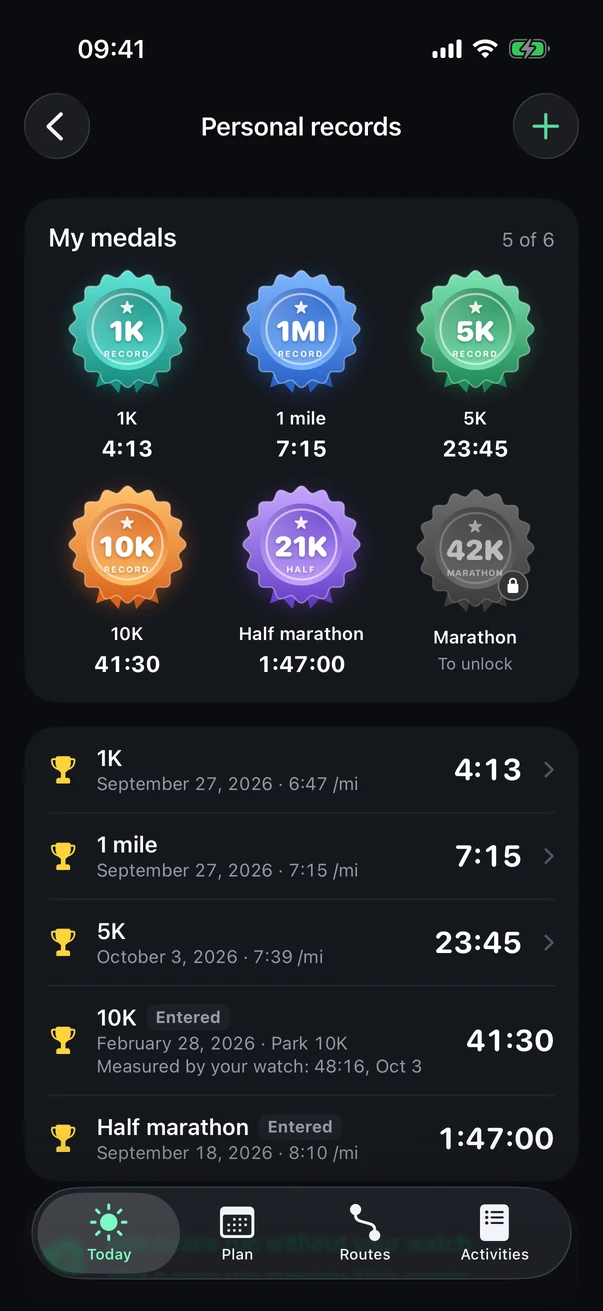
Tap Records in Activities.
- Add a time
A race run without your watch (another watch, an official race): marked Entered.
- My medals
- Your best times
With the date and pace.
See also: Training effect, Training load, VO2 max.