User guide Create a route
Create a route
On iPhone, with every option; on your watch, right from the start screen, without pulling out your iPhone. Either way: three options that keep you off busy roads.
Where iPhone › Routes, or watch › start screen
Add a route
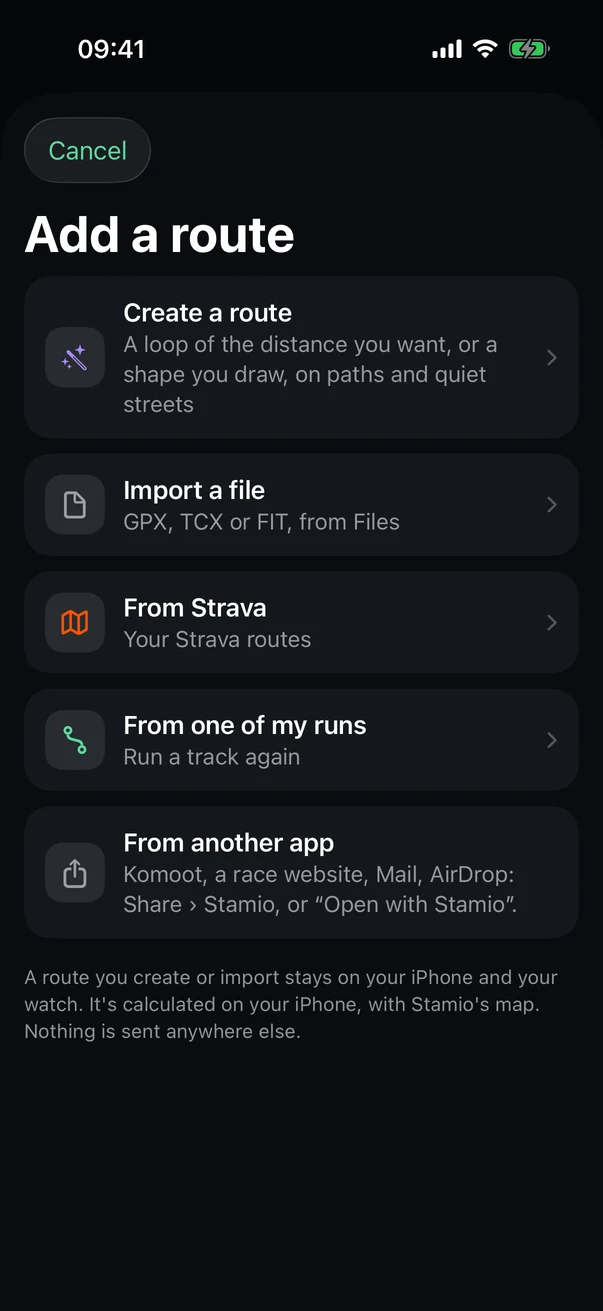
Routes tab, then Add a route.
- Create a route
A loop at the distance you want, or a route you draw.
- Import a file
GPX, TCX or FIT, from Files.
- From Strava
Your Strava routes.
- From one of my runs
Run a past track again.
- From another app
Share button › Stamio, or "Open with Stamio."
On iPhone: three options
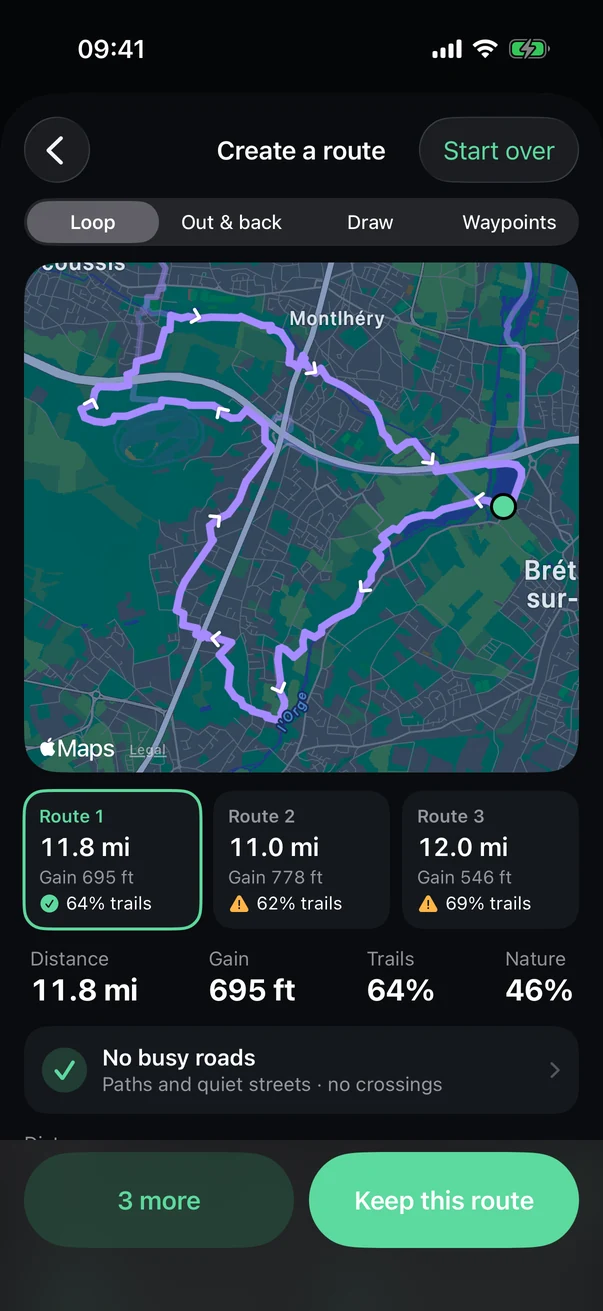
Further down the screen: distance, surface, elevation, start and direction.
- Four ways
Loop, out & back, draw, or waypoints.
- The map
Your options and which way they run.
- Three options
Distance, elevation gain and share of trails; a warning sign if there are busy roads.
- The rundown
Trails, quiet streets, busy roads and crossings. Tap it for details and Report a spot.
- Keep this route
Keep one, two or all three. 3 more looks in other directions.
On your watch: settings
- Open the start screen for a run, trail run, walk or hike.
- Tap the route line ("No route").
- Tap Create a route.
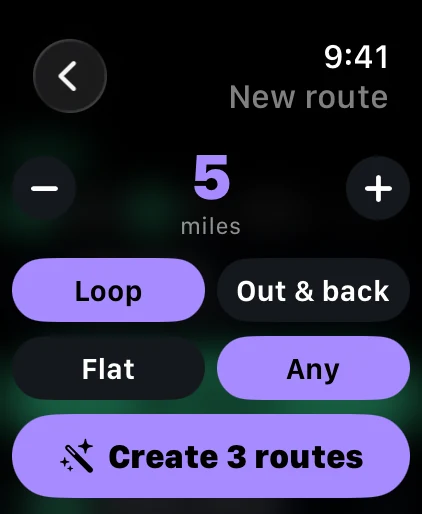
- Distance
With the Digital Crown, or − and +, from 2 to 9 miles.
- Loop or out & back
- Flat or any terrain
For a pace workout from your plan, Stamio automatically goes for the flattest option with the fewest road crossings.
- Create 3 routes
You start right where you are.
On your watch: pick one
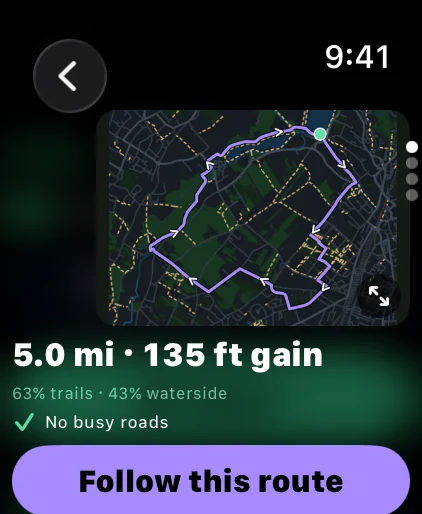
Turn the Digital Crown to go from one option to the next. The last page offers 3 more and Change settings.
- The map
The route, its direction, and road crossings in red.
- Enlarge
Full screen: zoom with the Digital Crown, pan with your finger, elevation profile.
- Distance and gain
- Terrain
Share of trails and waterside, any busy roads.
- Follow this route
Sets it for your run; then head out with Start or the Action button.
Tip With your iPhone nearby, it does the math. Without it, your watch handles it on its own over Wi-Fi or cellular; right downtown in a big city, keep your iPhone with you.
After that
The route you follow is added to your routes on iPhone, and the map around it goes to your watch.
Creating and previewing routes is free. Your first saved route is on us; after that, it's Stamio Pro.
See also: The route builder, in detail, Offline maps and navigation.