User guide Your plan
Your training plan
A program that starts from your own runs and adapts to your fitness. You choose, Stamio builds every week, and you stay in charge of the days.
Where iPhone › Plan
Pick a program
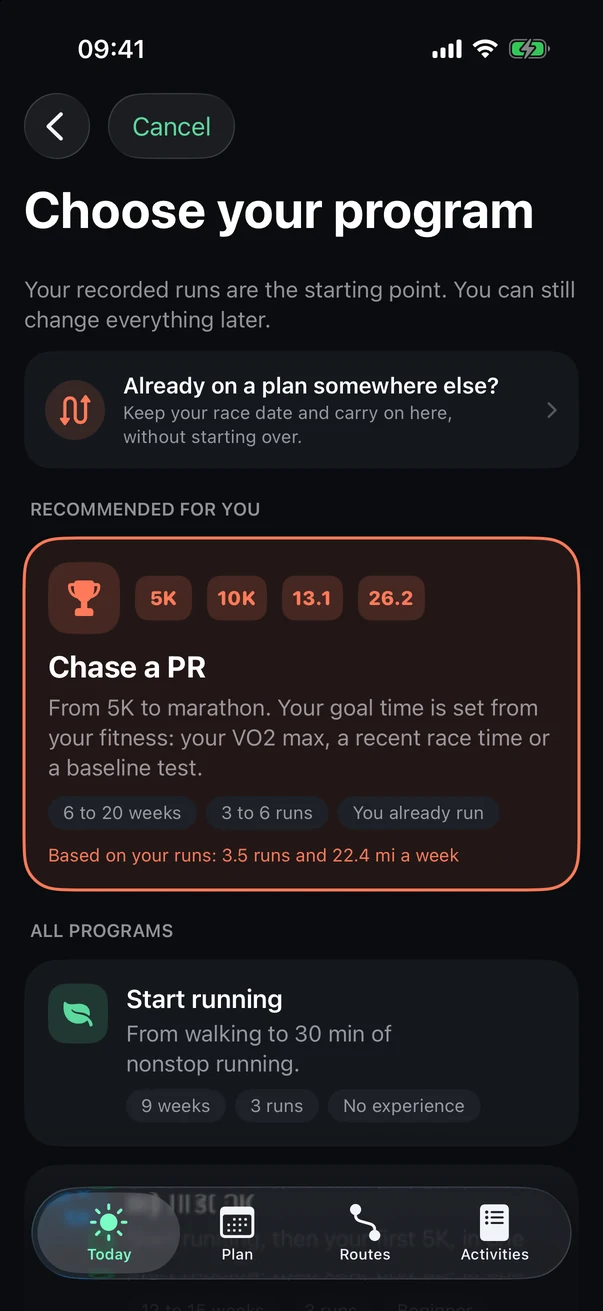
Your recorded runs are the starting point; you can fine-tune everything afterward.
- Already on a plan somewhere else?
Keep your race date and pick up here, without starting over.
- Recommended for you
Picked based on your recent runs.
- All programs
Start running, My first 5K, Chase a PR, My first half, My first marathon, Come back after a break, Stay fit, Boost my VO2 max.
The Plan tab
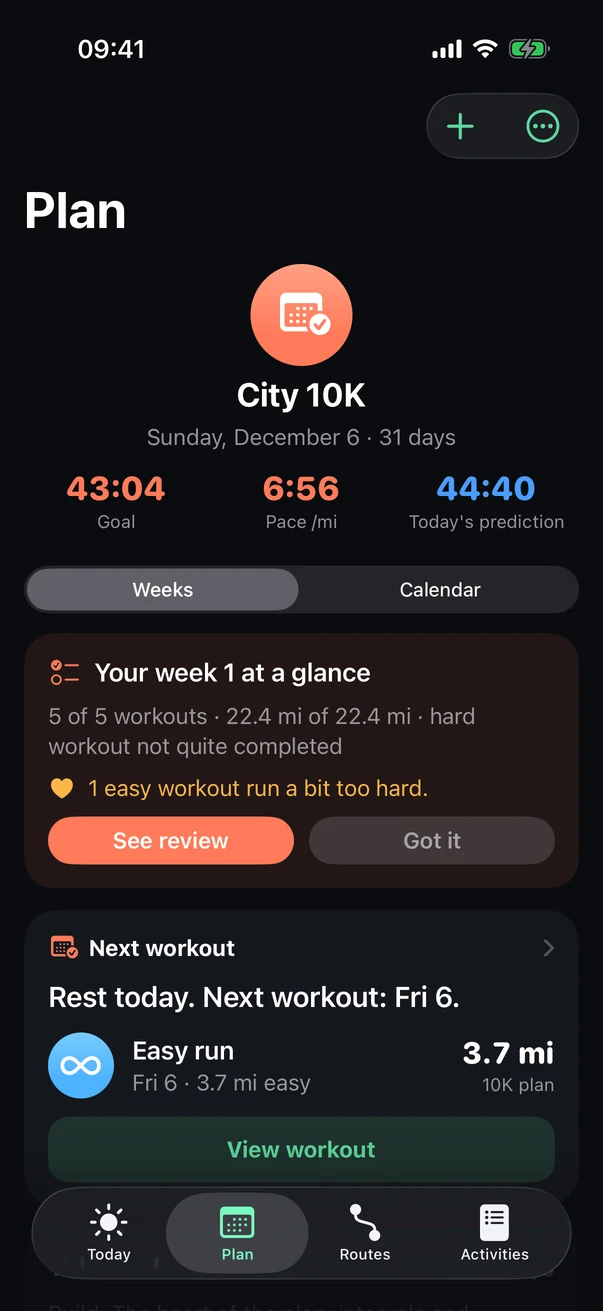
Further down: your week workout by workout, Adjust my week, and My Workouts.
- Add
An extra workout, or a tune-up race.
- More options
Edit plan, schedule the next one, export as PDF, pause, stop.
- Your goal
Your goal time, its pace, and what your fitness predicts today.
- Weekly review
What you did, and what your plan takes from it.
- Next workout
Tap it for the details.
The calendar
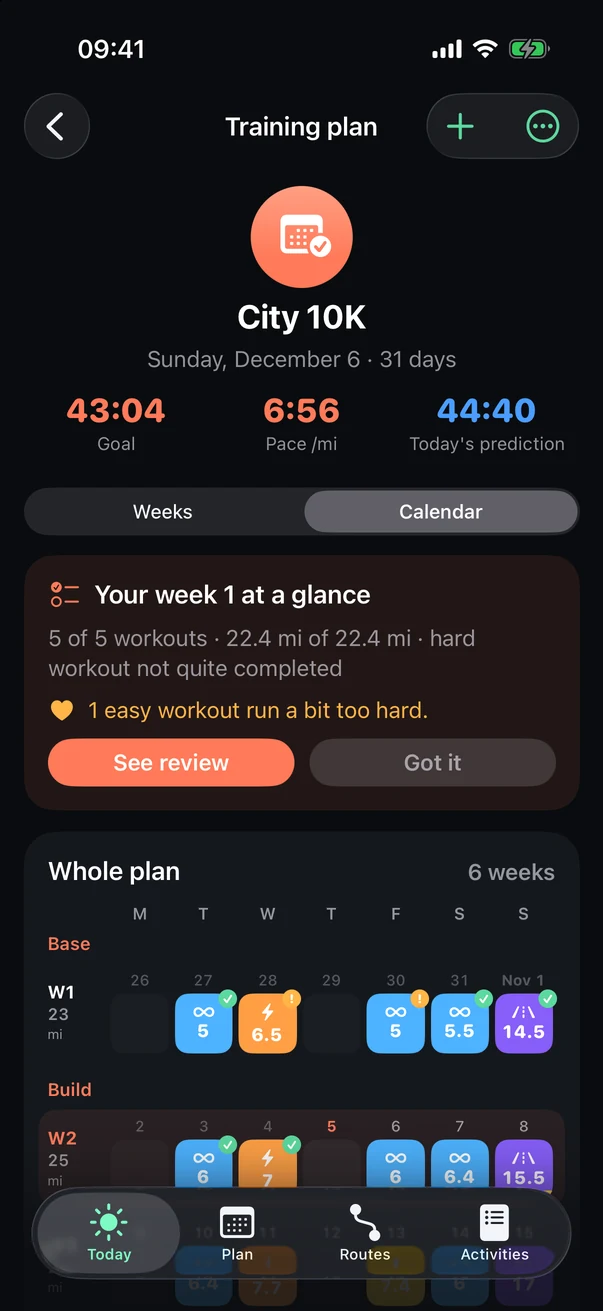
Tap Calendar, under your goal.
- Whole plan
Week by week, with its phases (Base, Build…). Tap a workout for its details.
- Move a workout
Touch and hold, then drag it to another day. If a workout is already there, they swap.
Tip Two hard days in a row? Stamio gives you a heads-up before moving it, and you decide.
A workout
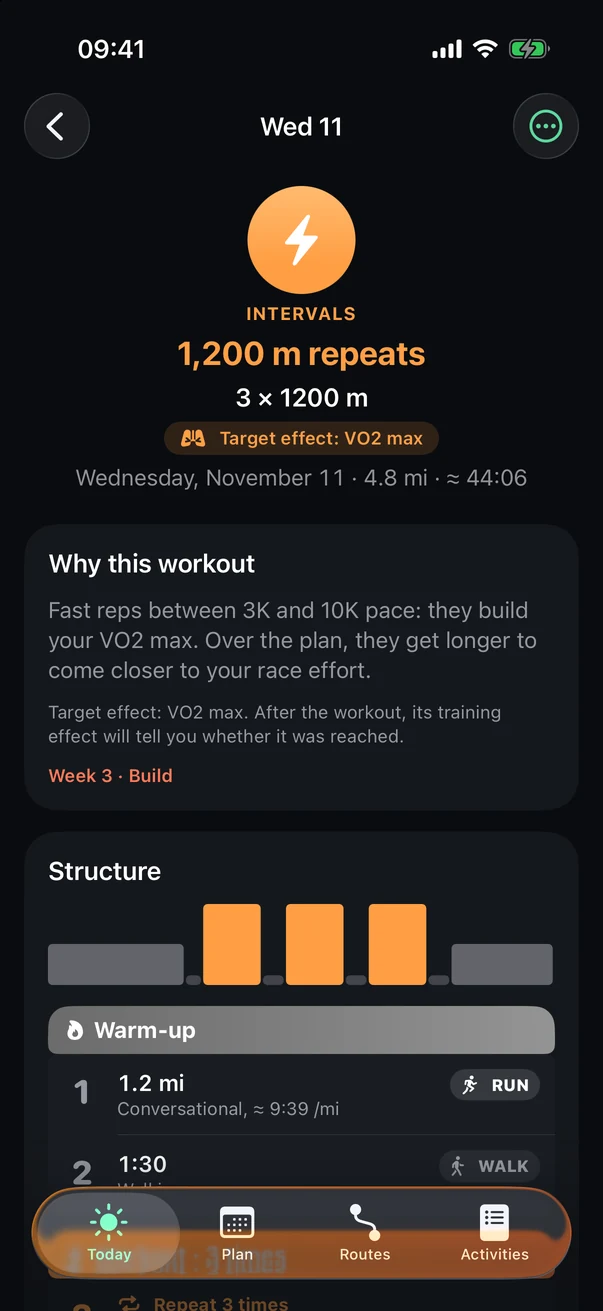
Further down: Move (to another day, or swapping with the workout planned there) and the workout's route. On the day, it's waiting on your watch, at the top of Activities.
- Target effect
What the workout trains.
- Why this workout
Its role in your plan, in plain words.
- Structure
Each step and its pace; your watch guides you from one to the next.
Adjust my week
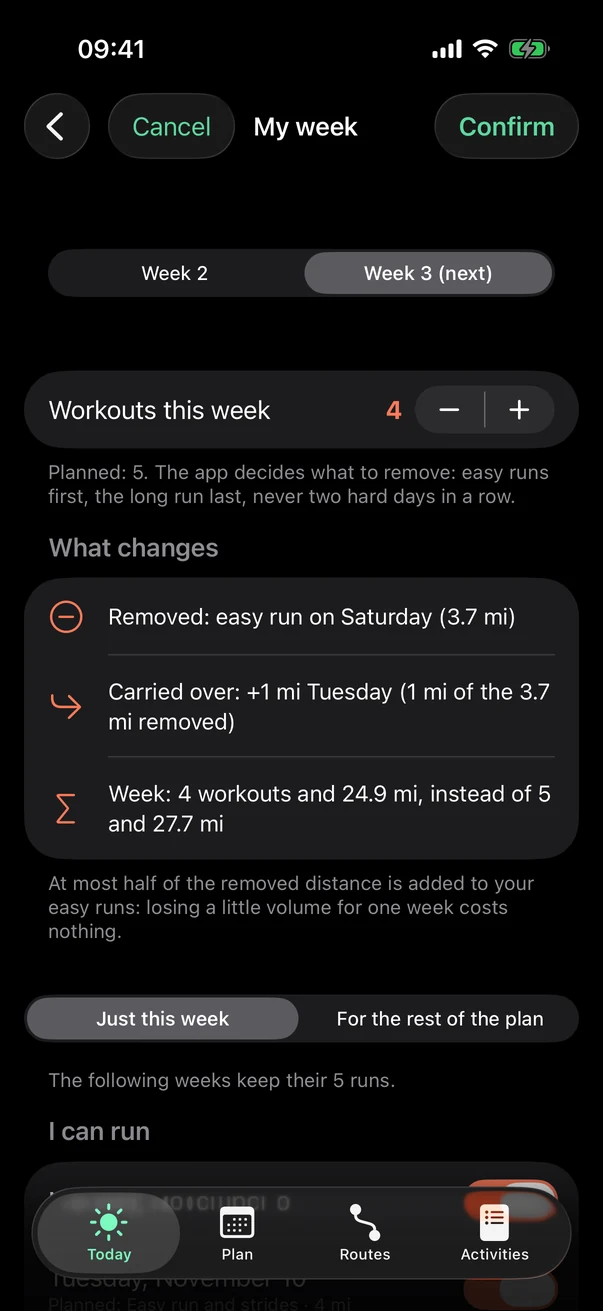
Busy week? On the Plan tab, tap Adjust my week.
- This week or next
- Workouts this week
With − and +: Stamio decides what to drop, easy runs first, the long run last.
- What changes
Before you confirm: what gets dropped or moved.
- Just this week, or for the rest of the plan
- I can run
Uncheck the days you can't run: workouts move to the other days.
See also: The training plan, in detail, Race predictions.